TAP top app download banner
theAsianparent Singapore Logo
Product Guide
Sign in
  • Together Against RSV
  • SG60
  • Pregnancy
    • Due date calculator
    • I'm pregnant
    • Trying To Conceive
    • Labour
    • After birth
    • Baby loss
  • Parenting
    • Parent's Guide
    • Relationship & Sex
  • Child
    • Newborn
    • Baby
    • Toddler
    • Pre-Schooler
    • Kid
    • Pre-Teen & Teen
  • Feeding & Nutrition
    • Diseases-Injuries
    • Breastfeeding & Formula
    • Meal Planner
    • Health
    • Allergies & Conditions
    • Vaccinations
  • Education
    • Pre-School
    • Primary School
    • Secondary School
    • Primary School Directory
  • Lifestyle
    • Money
    • Travel & Leisure
    • Fashion
    • Home
    • Fitness
    • Contests & promotions
  • Events
  • Holiday Hub
  • Aptamil
    • Immunity
    • Intelligence
  • TAP Recommends
  • Shopping
  • Press Releases
  • Project Sidekicks
  • Community
  • Advertise With Us
  • Contact Us
  • VIP

How to Check Your Voting Details and Polling District on the Singpass Mobile App

17 Jun, 2020
How to Check Your Voting Details and Polling District on the Singpass Mobile App

It’s been five years since the last General Election.

This guide should be helpful to all 2.65 million people who’ll be heading to the polls soon, which could be as early as next month. Everything’s falling into place anyway, with Singapore entering phase 2 of reopening the economy this Friday (June 19).

By now, you should already know if you’re eligible to vote and which electoral division you’re in.

If not, there are two ways to check your particulars. One way is to head over to the Elections Department Singapore website and click voter services. There you’ll need to log in using your SingPass account before doing things like checking your name in the registers or apply to be an overseas elector if you’re (still) abroad.

Otherwise, there’s the easier method — using the SingPass Mobile app on your smartphone. You’d probably have it already since you’ll need it to quickly check in and out of places these days through SafeEntry. But in case you don’t have the app and want to check your voting details on the go…

  • Head over to the App Store on iPhones or the Google Play Store if you’re running on Android. For users of newer Huawei phones, tough luck.
  • Search for SingPass Mobile. Download it.
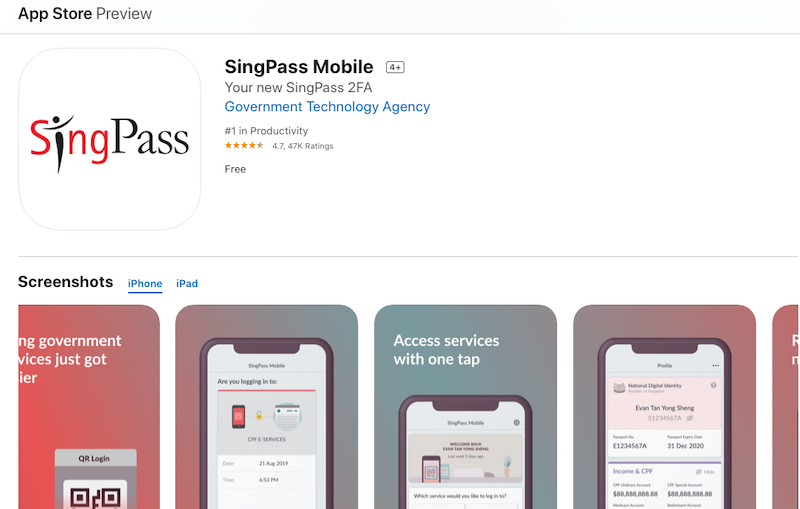
How to Check Your Voting Details and Polling District on the Singpass Mobile App

Photo: App Store screengrab

  • Sign in to your SingPass account on the app. This will take a while because of extra safety procedures — Two-Factor Authentication and stuff.
  • Once that’s settled, find the Profile tab at the bottom of the screen.
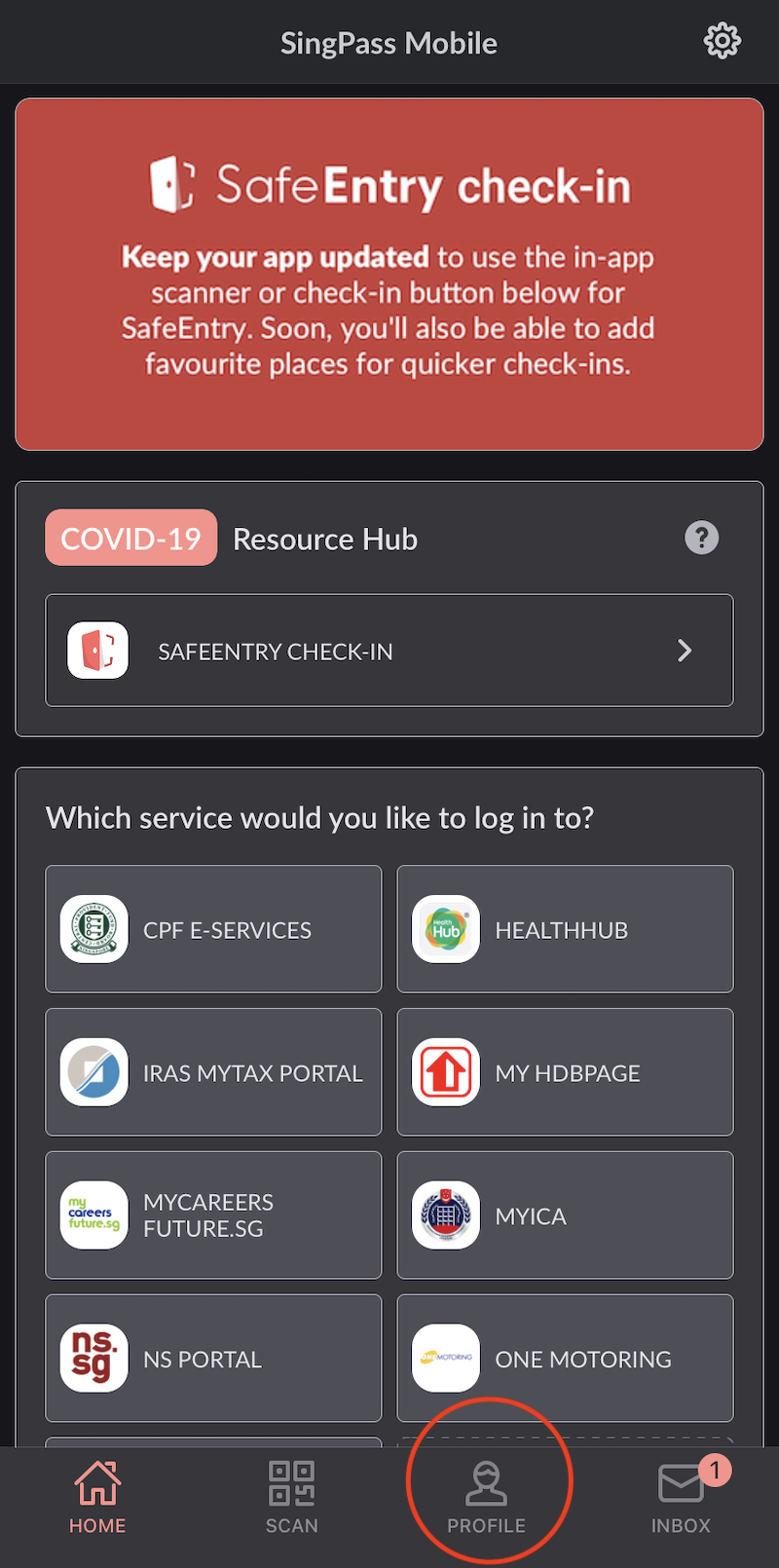
How to Check Your Voting Details and Polling District on the Singpass Mobile App

Photo: SingPass Mobile screengrab

  • You should be able to see your digital identity card and other information like the properties you own and driver license details.
How to Check Your Voting Details and Polling District on the Singpass Mobile App

Photo: SingPass

  • Scroll all the way down to the bottom of the screen. That’s where you’ll find your voting details, including your electoral division, polling district and voter serial number.
How to Check Your Voting Details and Polling District on the Singpass Mobile App

Photo: SingPass Mobile screengrab

This article was first published on AsiaOne and republished on theAsianparent with permission.

Lead Image via AsiaOne/Ilyas Sholihyn.

ALSO READ:

Stay Safe When Heading Back to the Office to Work During COVID-19 Pandemic With These Tips

COVID-19: Phase 2 Of Singapore’s Reopening To Start on June 19; Social Gatherings Of Up To Five Persons To Be Allowed

How to Check Your Voting Details and Polling District on the Singpass Mobile App

Partner Stories
Comfort, Care, and Confidence for New Mums  with PEM Confinement Nannies
Comfort, Care, and Confidence for New Mums with PEM Confinement Nannies
Relax & Recover with PNSG Postnatal Massage
Celebrity Dad Mark Lee Shares the 3 P's of Raising School Going Children - Parenting Tips, PSLE Preparation & Protecting Your Child’s Eyesight!
NTUC First Campus (NFC) Expands Child Support Model to Include Support for Mental Well-being

Got a parenting concern? Read articles or ask away and get instant answers on our app. Download theAsianparent Community on iOS or Android now!

img
Written by

asiaone

  • Home
  • /
  • News
  • /
  • How to Check Your Voting Details and Polling District on the Singpass Mobile App
Share:
  • From Discomfort to Relief: Managing Haemorrhoids During and After Pregnancy

    From Discomfort to Relief: Managing Haemorrhoids During and After Pregnancy

  • South Korea’s Classroom Phone Ban: What Singaporean Parents Should Know

    South Korea’s Classroom Phone Ban: What Singaporean Parents Should Know

  • Enfagrow A+ Pro C-Biome Launches in Singapore to Support C-Section Children’s Stronger Immunity

    Enfagrow A+ Pro C-Biome Launches in Singapore to Support C-Section Children’s Stronger Immunity

  • From Discomfort to Relief: Managing Haemorrhoids During and After Pregnancy

    From Discomfort to Relief: Managing Haemorrhoids During and After Pregnancy

  • South Korea’s Classroom Phone Ban: What Singaporean Parents Should Know

    South Korea’s Classroom Phone Ban: What Singaporean Parents Should Know

  • Enfagrow A+ Pro C-Biome Launches in Singapore to Support C-Section Children’s Stronger Immunity

    Enfagrow A+ Pro C-Biome Launches in Singapore to Support C-Section Children’s Stronger Immunity

Get advice on your pregnancy and growing baby. Sign up for our newsletter
  • Pregnancy
  • Family Occasions
  • Lifestyle
  • Normal Delivery
  • Ages & Stages
  • Trying To Conceive
  • News
  • TAP Community
  • Advertise With Us
  • Contact Us
  • Become a Contributor


  • Singapore flag Singapore
  • Thailand flag Thailand
  • Indonesia flag Indonesia
  • Philippines flag Philippines
  • Malaysia flag Malaysia
  • Vietnam flag Vietnam
© Copyright theAsianparent 2025. All rights reserved
About Us|Privacy Policy|Terms of Use |Sitemap HTML
  • Tools
  • Articles
  • Feed
  • Poll

We use cookies to ensure you get the best experience. Learn MoreOk, Got it

We use cookies to ensure you get the best experience. Learn MoreOk, Got it